Anything underlined  in the body may be clicked to a direct hyperlink for more info
Close the hyperlinked box to exit the window and return to this newsletter
Discussed topics are boxed to reduce the need to scroll pages - read each box as a section.

NEWS

Packaging
Odds and Ends
Print this Newsletter

Volume #017-09-06      

Badger Metal Tech, Inc.

September 2006
IN THIS ISSUE

We would like to thank all of our customers for their continued business. It is your encouragement that contributes to the phenomenal growth and demand for Metallife and our exclusive Thermallife process.  Now we have your company covered for the 4 most common modes of your die failure - Thermal Fatigue Heat Checking, Washout, Erosion, and now through Thermallife - solder protection.

Since 1994, Badger has been publishing our newsletter relating to our processes, die materials and associated topics. These newsletters are all available on our website:

Since our newsletter creation we have covered many topics relating to die casting and die materials.

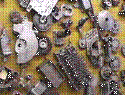
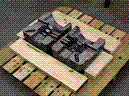
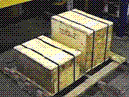
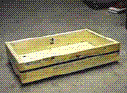
In one issue, we discussed how to make sure that your tooling reaches us in a good condition.
 

For your convenience we are recapping the high points contained in this 1997 newsletter.

Click on the sidebar buttons to view the information applicable to the topic. 

 Back to top

Watch for our new ad in NADCA's "Die Casting Engineer" magazine.
WE'VE GOT YOU COVERED !

Back to top

  back to topics
 Is there a way to have Internet Explorer open as a maximized window?
If you are like most web users, it can be extremely annoying to constantly have to maximize a new window in Internet Explorer.
If you would like to have your window open in a maximized full screen size.  There are two ways to accomplish this.

1. You can download and install a small program which is available on our website and free.
Windows Maximizer 2.3 400K in size.
(find out more)

Or to do it without a program:

1. Open IE and then open a new window by selecting a link and right clicking
2. Size the new window to the size you want.
3. Hold the Shift key and close the window using the X icon (upper right).
4. Set the remaining window to the desired size.
5. Again hold the Shift key and close this window using the X icon.


Sometimes Windows will forget these settings at which point you will need to repeat the process

Badger Metal Tech, Inc.
N60 W15088 Bobolink Ave. Menomonee Falls, Wisconsin  53051
Phone: 262-252-3804 Fax: 262-252-3956
Email: infonow@badgermetal.com
URL:
http://www.badgermetal.com
Copyright © 2006. All Rights Reserved

If you wish to be removed from our email Newsletter please reply
with REMOVE as the subject.  We will delete your record from our database